
Learning how to store crypto securely is more important than finding the next promising coin. Cryptocurrency gives you direct control over your money, but that control comes with a serious responsibility: transactions are usually irreversible, and there is no bank that can reset a compromised wallet for you.

- 20% fee cashback
- $8,000 bonus

- 20% trading fee discount
- $100 signup bonus
- $10,000 futures bonus

- 20% fee cashback
- $60,000 futures bonus

- 20% fee cashback
- $10,000 bonus

- 20% trading fee discount
- $30,050 signup bonus

- 50% trading fee discount
- 20% fee cashback
- $6,200 futures bonus
Secure crypto storage is not one product or one setting. It is a practical system that combines the right wallet, safe backup habits, strong account protection, and a clear understanding of where your private keys live. Whether you hold a small amount of Bitcoin or manage a broad portfolio, these habits can reduce the risks of phishing, theft, device loss, and costly mistakes.
Understand the Difference Between Hot Wallets and Cold Wallets
The first decision in cryptocurrency wallet security is choosing between a hot wallet and a cold wallet.
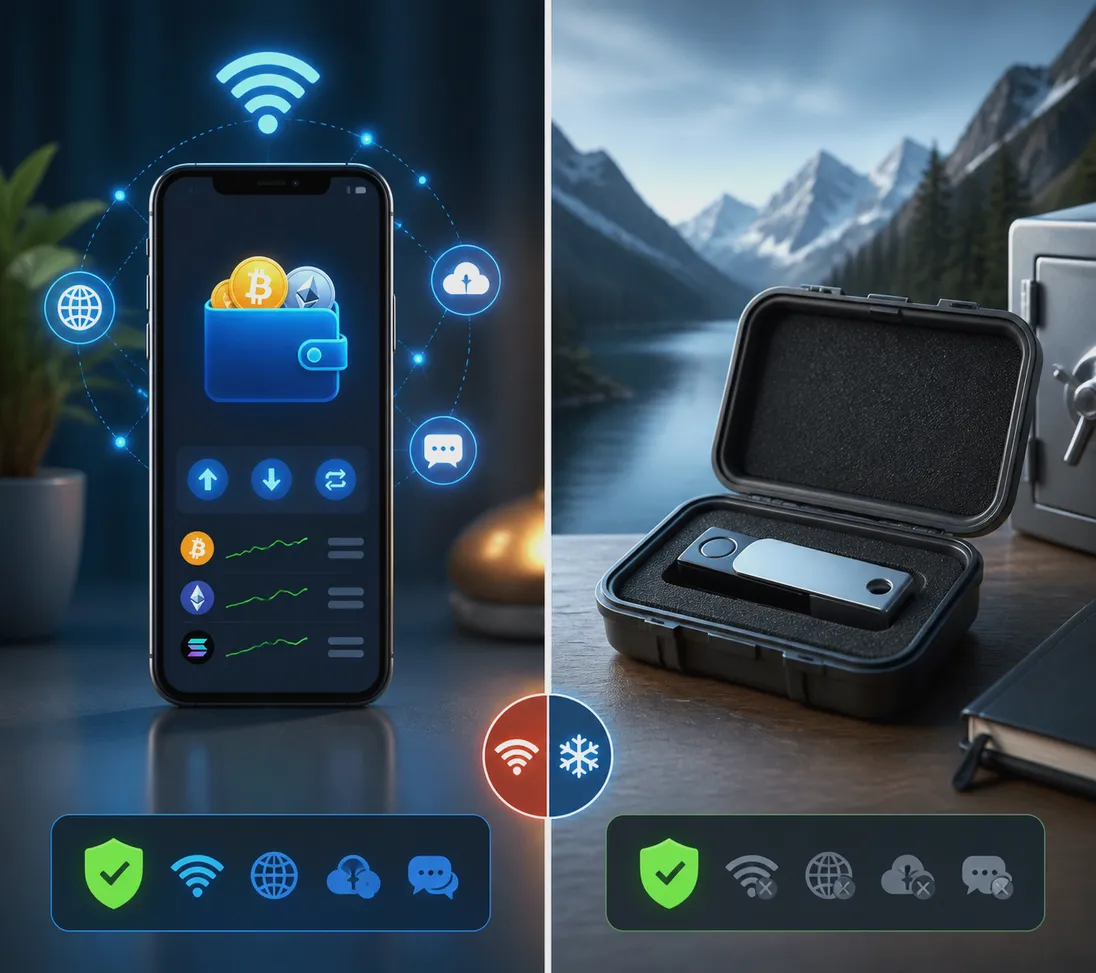
A hot wallet is connected to the internet. This includes exchange balances, mobile wallets, browser extension wallets, and desktop applications. Hot wallets are convenient for trading, swapping tokens, and using decentralized applications. However, their internet connection makes them more exposed to phishing pages, malicious browser extensions, malware, and account takeovers.
A cold wallet keeps private keys offline. Hardware wallets and carefully created air-gapped wallets fall into this category. Because the signing key remains offline, cold storage is generally the best way to store crypto long term. For substantial holdings that you do not need to trade every day, a reputable hardware wallet is usually the safer choice.
A sensible approach is to divide funds by purpose:
- Keep a limited spending or trading balance in a hot wallet.
- Move long-term holdings into cold storage.
- Avoid leaving your entire portfolio on any exchange or internet-connected wallet.
This balance gives you usable liquidity without making all of your assets vulnerable in one place.
Protect Your Seed Phrase Like the Master Key It Is
Your seed phrase, also called a recovery phrase or mnemonic phrase, is the master backup for a self-custody wallet. Anyone who has it can restore your wallet and move your funds. They do not need your phone, hardware device, password, or approval.
Write the phrase down offline, exactly in the order shown by the wallet. Store it in a secure physical location, such as a locked safe. For improved resilience against fire or water damage, consider a purpose-built metal backup designed for seed phrases.
Never do the following:
- Do not take a screenshot of the seed phrase.
- Do not save it in cloud drives, email drafts, notes apps, or password managers.
- Do not send it to a friend, support representative, or social media account.
- Do not type it into a website claiming to verify or synchronize your wallet.
Legitimate wallet providers and exchanges will never ask for your seed phrase. A request for it is a scam, every time. If you have already exposed a recovery phrase, create a new wallet, back up its new phrase safely, and transfer assets immediately.
Use a Hardware Wallet for Long-Term Crypto Storage
For investors searching for the best way to store cryptocurrency safely, a hardware wallet deserves serious consideration. It stores private keys in a dedicated device and confirms transactions on the device screen. This helps prevent an infected computer from silently changing a recipient address.
Buy hardware wallets directly from the manufacturer or an authorized retailer. Avoid used devices and marketplace listings where the packaging, firmware, or included recovery cards may have been tampered with. Set up the device yourself, generate a new seed phrase during setup, and install firmware only through the manufacturer’s official software.
When sending funds, inspect the receiving address on the hardware wallet display—not only on your computer or phone. For large transfers, send a small test transaction first. Waiting a few minutes and paying a small network fee is far better than sending assets to a wrong or fraudulent address.
Secure Exchange Accounts Before You Trade
Exchanges are useful for buying, selling, and converting crypto, but an exchange account is still a high-value target. Use a unique, long password generated by a password manager, and turn on two-factor authentication (2FA) immediately. Authenticator-app or hardware-key 2FA is preferable to SMS, which can be vulnerable to SIM-swap attacks.
If you are looking for a platform to begin with, join Binance with referral code CRYPTONEWER to access the advertised 20% fee discount and up to $10,000 in benefits, subject to Binance’s applicable terms and eligibility requirements. After registering, take time to review its security dashboard and activate available protections such as anti-phishing codes, withdrawal address whitelisting, device management, and withdrawal locks.
For any exchange, follow these rules:
- Use the official app or type the website address yourself.
- Bookmark the genuine login page after verifying it.
- Enable anti-phishing tools where available.
- Review logged-in devices and remove unfamiliar sessions.
- Set withdrawal whitelists and cooling-off periods if offered.
Spot Phishing Attacks Before They Empty Your Wallet
Most crypto theft does not require a sophisticated hack. Attackers often rely on urgency and impersonation: a fake airdrop, a false security alert, a cloned exchange page, or a direct message from “support.” Their goal is to make you reveal credentials, approve a harmful transaction, or install malware.
Check URLs letter by letter. A fake site can look nearly identical to a real exchange or wallet provider while using a subtly misspelled domain. Do not trust search advertisements blindly, because malicious ads can lead to convincing phishing pages. Instead, use a verified bookmark or official links from the company’s documentation.
Be especially cautious with wallet approvals. Connecting a wallet to a decentralized app may prompt you to approve token spending. Read the request carefully, avoid unlimited allowances when possible, and revoke permissions you no longer need through a reputable token-approval management tool. Never sign a transaction or message that you do not understand.
Build a Backup and Recovery Plan
A secure wallet is only useful if you can recover it after a lost phone, damaged hardware wallet, or personal emergency. Create at least two secure, physical copies of your recovery information and store them in separate locations. This reduces the chance that a single fire, flood, or burglary destroys your only backup.
Do not label the backup with obvious terms such as “Bitcoin seed phrase.” Make sure a trusted person knows how to locate necessary estate-planning instructions if something happens to you, but do not casually hand out your recovery phrase. Depending on the size of your holdings and your technical confidence, multi-signature storage can add protection by requiring more than one signing key to move funds.
Before relying on a backup plan, test your understanding with a small, separate wallet. Practice restoring it using the recovery phrase in a safe environment. This confirms that you recorded the words correctly and know what to do without exposing your primary holdings.
Maintain a Safer Device Environment
Your wallet security also depends on the computer and phone you use. Keep operating systems, browsers, wallet apps, and hardware-wallet firmware updated. Install apps only from official stores or verified publisher links. Remove browser extensions you do not actively use, since extensions can request broad permissions and may be sold or compromised later.
Use a screen lock, full-disk encryption, and reputable malware protection. Avoid managing large crypto balances over public Wi-Fi. If you must access an account while traveling, use a trusted network and avoid entering sensitive information on public computers.
Finally, slow down. Crypto transactions reward careful verification. Confirm the network, wallet address, token contract, amount, and fee before approving. A short pause before clicking “confirm” is one of the most effective habits for secure crypto storage.
Related posts:
 Running a Full Node vs Light Node — Powerful Guide to Choosing the Right Setup
 Breakthrough guide to Binance Web3 tools in 2025 for builders and investors
 Actionable MEXC Copy Trading Guide — Step-by-Step Blueprint for Smarter Crypto Income
 How Does Bitcoin Work? An Overview In-Depth Breakdown for Curious Builders and Investors