

Knowing how to withdraw crypto from Binance is essential when you want to move coins from the exchange to a private wallet, another trading platform, or a payment service. The actual process is straightforward, but cryptocurrency transfers are irreversible in most cases. A wrong network or wallet address can mean a permanent loss of funds.

- 20% trading fee discount
- $100 signup bonus
- $10,000 futures bonus

- 50% trading fee discount
- 20% fee cashback
- $6,200 futures bonus

- 20% fee cashback
- $8,000 bonus

- 20% fee cashback
- $60,000 futures bonus

- 20% fee cashback
- $10,000 bonus

- 20% trading fee discount
- $30,050 signup bonus
If you do not yet have an account, you can register through Binance with referral code CRYPTONEWER. The promotion offers a 20% fee discount and up to $10,000 in benefits, subject to Binance’s current terms, eligibility rules, and regional availability.
Before You Withdraw Cryptocurrency From Binance
Take a moment to prepare the receiving wallet before opening the withdrawal screen. You will normally need:
- The receiving wallet address for the exact asset you are sending
- The correct blockchain network, such as Ethereum (ERC-20), BNB Smart Chain (BEP-20), Tron (TRC-20), or Bitcoin
- A memo, tag, or payment ID if the destination requires one
- Completed Binance identity verification and enabled security controls
- Enough balance to cover the asset’s withdrawal minimum and network fee
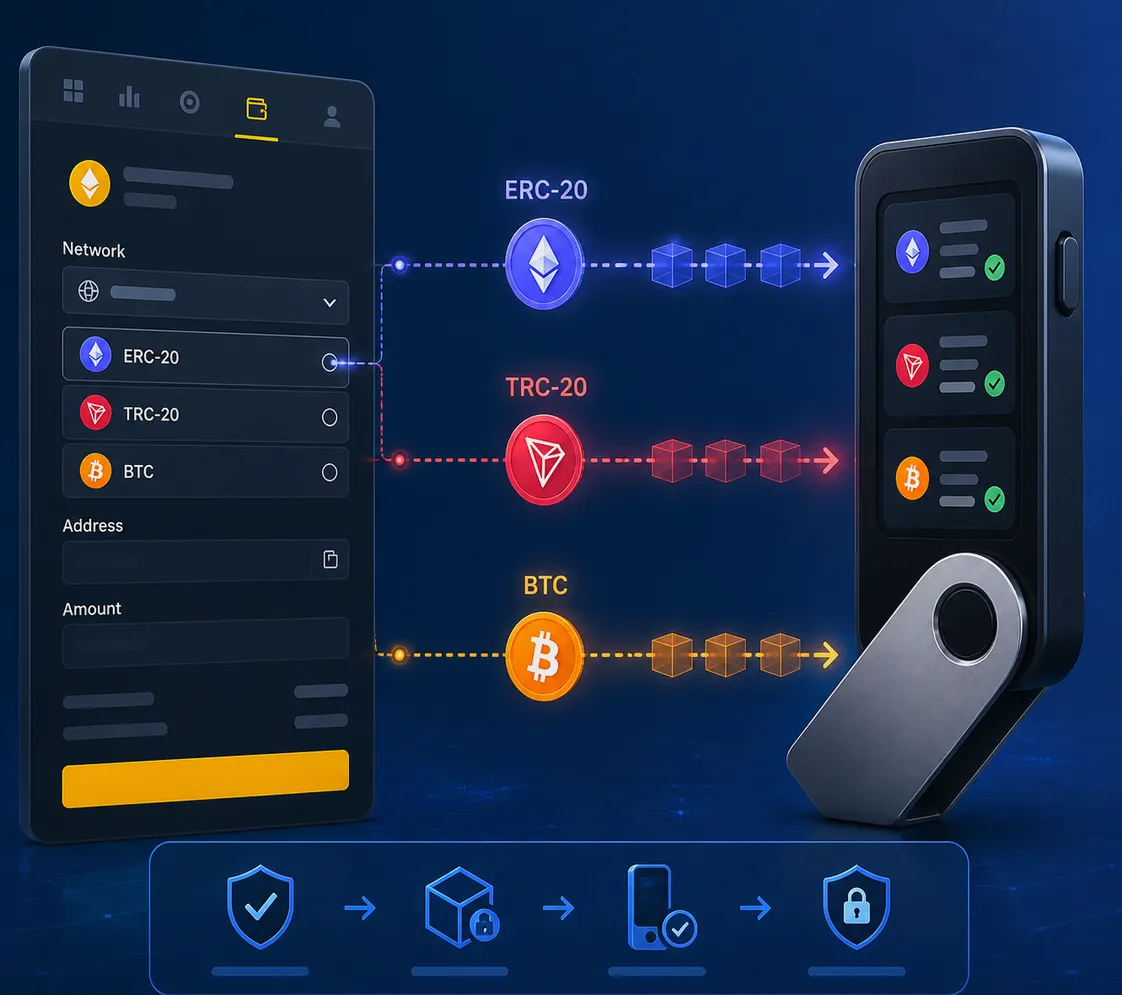
The most important rule for a Binance crypto withdrawal is simple: the network selected on Binance must match the network supported by the receiving wallet. For example, sending USDT through TRC-20 requires a destination that accepts USDT on the Tron network. An ERC-20 USDT address should receive an ERC-20 transfer instead.
Step-by-Step: How to Withdraw Crypto From Binance
1. Log in and open your wallet
Sign in through the Binance website or official mobile app. Navigate to Wallet and select Withdraw. Depending on the interface, you may first see a choice between withdrawing fiat currency and withdrawing crypto. Choose Withdraw Crypto.
Avoid logging in through links sent by strangers, social media replies, or unsolicited emails. Bookmark the official site and turn on two-factor authentication (2FA) to reduce account-security risks.
2. Select the cryptocurrency
Search for and choose the coin or token you want to send. For instance, select BTC for Bitcoin, ETH for Ethereum, or USDT for Tether. Make sure the selected asset is the same asset your destination wallet expects.
This sounds obvious, yet similar tickers and wrapped tokens can create confusion. If you are transferring a token to an exchange deposit address, open the deposit page at the destination first. It will show the supported coin, network, minimum deposit, and any memo requirement.
3. Paste the destination address
Copy the recipient address directly from the receiving wallet and paste it into Binance’s address field. Never type a long crypto address manually.
After pasting, compare the first and last several characters with the original address. Clipboard-hijacking malware can replace copied addresses, so this quick visual check matters. For a first-time destination, consider making a small test withdrawal before moving a larger amount.
4. Choose the matching withdrawal network
Binance may display several networks for the same coin. Select only the network that matches the deposit network on the receiving side. This is the critical part of learning how to withdraw crypto from Binance safely.
| Example asset | Possible network | What to verify |
|---|---|---|
| USDT | ERC-20 | Destination accepts Ethereum-based USDT |
| USDT | TRC-20 | Destination accepts Tron-based USDT |
| BNB | BNB Smart Chain | Destination supports BEP-20 / BSC deposits |
| BTC | Bitcoin | Destination provides a native Bitcoin address |
Do not select a network only because it has a lower fee. Low-cost networks are useful only when the recipient wallet explicitly supports them.
5. Enter the withdrawal amount and review fees
Enter the amount you want to transfer. Binance will display the applicable withdrawal fee, the minimum withdrawal amount, and the amount the recipient should receive. Fees are generally network-related and may change as blockchain conditions change.
Keep a small balance if you plan to make another transfer later, and check whether the destination exchange has a minimum deposit threshold. A transfer that arrives below the destination’s required minimum may not be credited automatically.
6. Add a memo or tag when required
Some coins and exchange-managed deposit addresses require extra routing information, often called a memo, tag, or payment ID. XRP, XLM, ATOM, and some exchange deposit systems commonly use these fields.
If Binance or the receiving platform says a memo is required, enter it exactly as shown. Sending the correct address without the required memo can delay crediting and may require a manual recovery request from the receiving platform.
7. Complete Binance security verification
Review every field—asset, address, network, memo, and amount—then submit the request. Binance may ask for email confirmation, authenticator code, SMS verification, passkey approval, or other security checks.
Once approved, the withdrawal status can be viewed in Transaction History or Withdrawal History. Binance typically provides a transaction ID (TxID) after the transfer is broadcast to the blockchain. You can paste that ID into the appropriate blockchain explorer to follow confirmations.
How Long Does a Binance Withdrawal Take?
A Binance withdrawal can be processed quickly, but final arrival time depends on several factors:
- Binance’s internal security review and withdrawal processing time
- Network congestion and block confirmation speed
- The fee model and network chosen
- The destination platform’s required number of confirmations
- Maintenance, wallet suspension, or compliance checks
A transfer may show as completed on Binance before the receiving exchange credits it, because the destination can wait for additional on-chain confirmations. If the TxID is valid and the address, network, and memo are correct, patience is often necessary.
Binance Withdrawal Fees and Limits
Binance crypto withdrawal fees are not a single fixed charge for every asset. They vary by coin and network, and Binance shows the current fee before you confirm. Limits can also depend on verification level, account security status, region, and the asset being withdrawn.
Check the confirmation page rather than relying on an old fee chart. For recurring transfers, compare networks carefully, but always prioritize compatibility over cost. The cheapest route is not useful if it sends your funds to an unsupported chain.
New users can explore the platform through this Binance registration offer, using referral code CRYPTONEWER for the stated 20% fee discount and potential $10,000 benefits. Review the live offer details inside Binance because rewards and qualification requirements can change.
Common Binance Withdrawal Problems
Withdrawal is pending
A pending status can result from security checks, a recent password or 2FA change, unusual account activity, or temporary wallet maintenance. Check the withdrawal-history notice first; it often identifies whether action is required. Do not submit repeated withdrawals to the same address unless you understand the status of the first one.
The network is unavailable
Binance can temporarily suspend withdrawals for a specific blockchain during upgrades, congestion, or wallet maintenance. Wait for the service notice to clear, or use another network only if both the coin and recipient officially support it.
Funds have not appeared at the destination
First, verify the TxID on a block explorer. If it has confirmations, compare the address, network, amount, and memo with the destination’s deposit instructions. For an exchange deposit issue, contact the receiving exchange’s support team with the TxID and relevant details. Binance cannot reverse a completed on-chain transaction simply because the recipient platform has not credited it yet.
Wrong address or wrong network
Blockchain transactions are generally irreversible. Contact the owner or support team of the receiving wallet immediately, but recovery is never guaranteed. This is why a small test transaction is a practical safeguard when using a new wallet, bridge, chain, or exchange.
Security Checklist for Binance Crypto Withdrawals
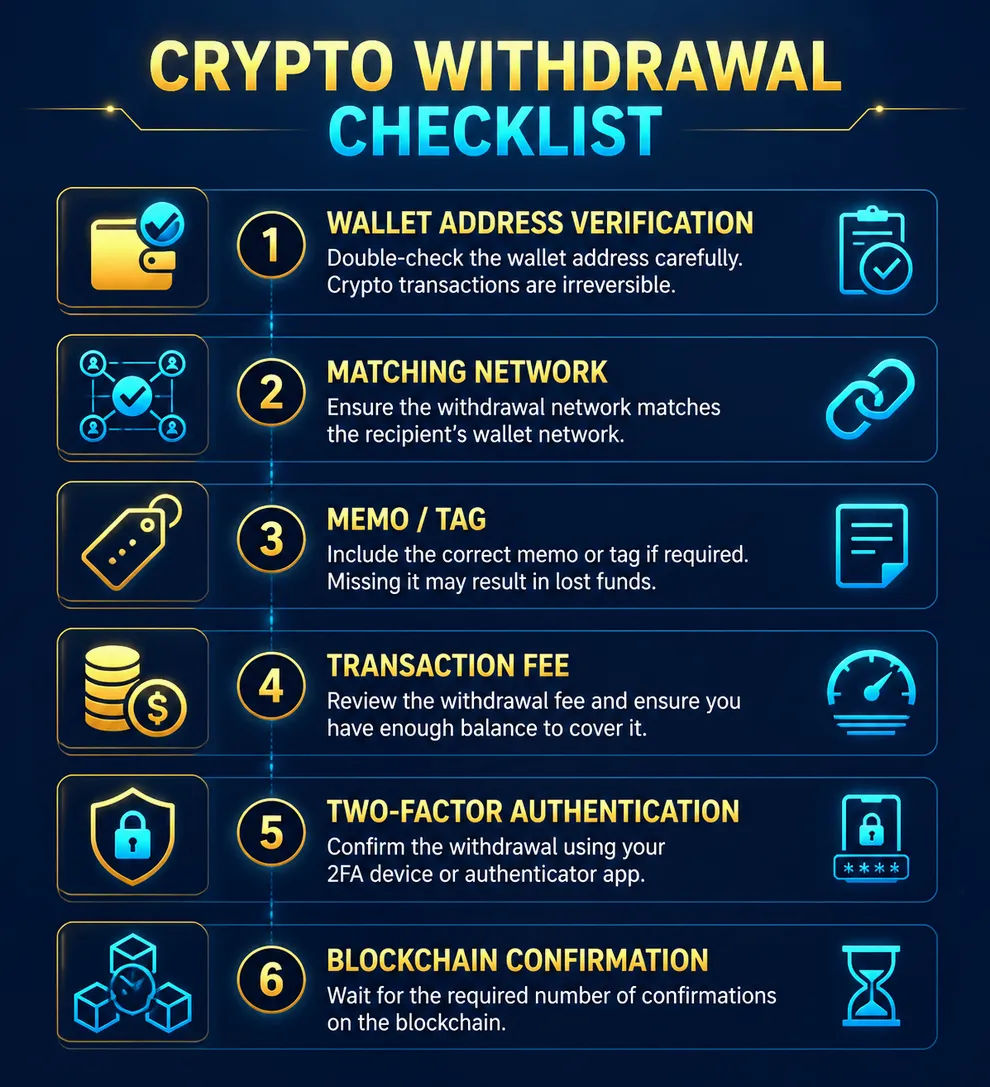
- Enable 2FA and use a strong, unique password.
- Use Binance’s address whitelist feature when it is available to you.
- Confirm the URL and avoid fake Binance support accounts.
- Verify the first and last characters of every pasted address.
- Match the withdrawal network exactly with the recipient’s deposit network.
- Include the required memo or tag.
- Send a test amount before a substantial transfer.
- Save the TxID until the recipient confirms the funds arrived.
With these checks in place, withdrawing cryptocurrency from Binance becomes a routine process rather than a high-risk one. The few extra seconds spent checking chain compatibility and destination details are far more valuable than trying to recover an irreversible transfer later.