
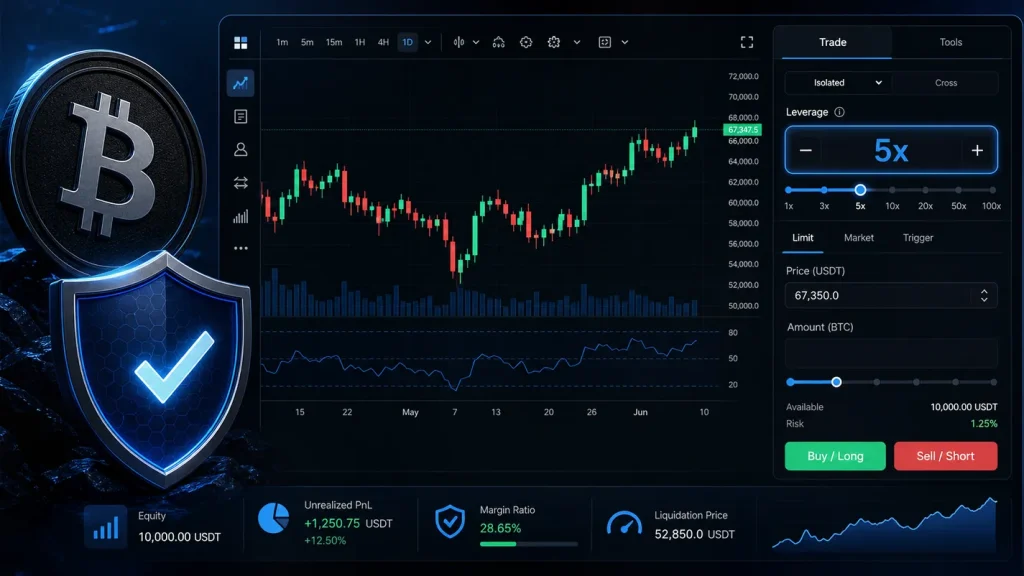
How to set leverage on OKX Futures is one of the first practical skills every derivatives trader needs to learn. Leverage lets you control a larger futures position with a smaller amount of margin, but it also magnifies losses as quickly as it magnifies potential gains. On OKX, you can select leverage before placing an order, adjust it while managing an open position, and choose margin settings that match your trading plan.

- 20% fee cashback
- $60,000 futures bonus

- 50% trading fee discount
- 20% fee cashback
- $6,200 futures bonus

- 20% trading fee discount
- $100 signup bonus
- $10,000 futures bonus

- 20% fee cashback
- $8,000 bonus

- 20% trading fee discount
- $30,050 signup bonus

- 20% fee cashback
- $10,000 bonus
Risk reminder: Crypto futures are high-risk products. Never use leverage simply because a platform allows a high maximum. Start with an amount you can genuinely afford to lose, and use a stop-loss order.
What Is Leverage in OKX Futures?
Leverage is a multiplier applied to your margin. For example, if you allocate 100 USDT as margin and select 10x leverage, your position value can be approximately 1,000 USDT. A 1% price move then has an approximately 10% effect on your margin before fees, funding, and other factors.
The basic relationship looks like this:
text

Position value = Margin × Leverage
Higher leverage lowers the initial margin needed for a position, but it brings the estimated liquidation price closer to your entry. That is why understanding OKX futures leverage settings is more important than chasing the biggest number shown in the order panel.
Open an OKX Account and Unlock Trading Benefits
Before accessing perpetual swaps or delivery futures, create and verify an account, complete any required regional checks, and fund your trading account. New and eligible traders can join OKX through this OKX referral link for 20% fee cashback and up to a $60,000 futures bonus.
The referral code is CRYPTONEWER. Lower trading costs can matter for active futures traders, especially when entering and exiting positions frequently. Review the promotion terms, eligibility requirements, and bonus rules directly on OKX before trading.
How to Set Leverage on OKX Futures Step by Step
The exact labels may vary slightly between the web platform and mobile app, but the workflow is broadly the same.
1. Transfer Funds to Your Trading Account
From the OKX dashboard, go to Assets and transfer USDT or another supported collateral asset into your Trading account. Futures positions cannot generally be opened with balances sitting only in a funding account.
For beginners, USDT-margined perpetual contracts are often easier to understand because profit, loss, and margin are denominated in USDT. Examples include BTC-USDT-SWAP and ETH-USDT-SWAP.
2. Navigate to Futures or Perpetual Swaps
Select Trade, then open the relevant futures section, such as Perpetual Swaps. Choose the contract you want to trade from the market selector. Confirm that you are on the intended instrument before continuing: BTC-USDT perpetual swaps and BTC coin-margined contracts have different collateral and settlement mechanics.
3. Select Cross Margin or Isolated Margin
Near the order-entry area, locate the margin mode control. You will typically see these choices:
- Cross margin: Your available balance can support the position. This can reduce the chance of a single position being liquidated immediately, but more of your account balance may be exposed.
- Isolated margin: You allocate a defined portion of margin to one position. If that trade fails, the loss is more contained, subject to your settings and market conditions.
For traders learning how to set leverage on OKX Futures, isolated margin is often the clearer risk-management option. It makes it easier to see precisely how much margin has been assigned to a trade.
4. Click the Leverage Multiplier
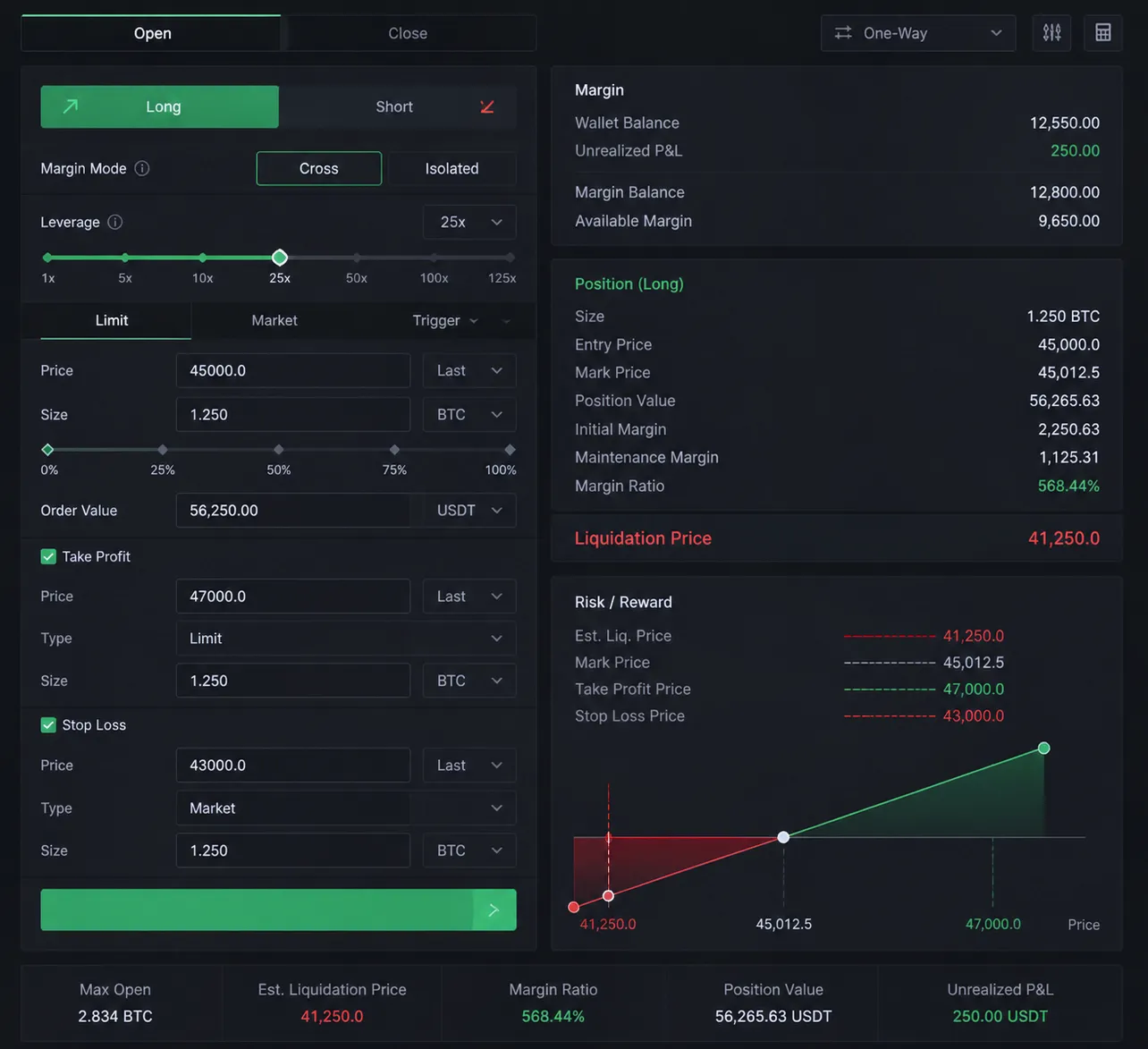
Click the leverage value displayed beside the margin mode—for example, 5x, 10x, or 20x. A settings window will open. Use the slider or enter your preferred multiplier manually.
OKX may show different maximum leverage levels depending on the contract, your account tier, position size, margin mode, and current risk limits. A high maximum does not mean that level is appropriate for your trade.
After choosing the desired leverage, confirm the setting. The platform should update the required initial margin and liquidation estimate in the order panel.
5. Enter Order Details and Check the Numbers
Choose whether to place a Limit order, Market order, trigger order, or another available order type. Then enter your order size.
Before you press Buy or Sell, check these fields carefully:
- Direction: Buy/Long if you expect price to rise; Sell/Short if you expect it to fall.
- Leverage: Verify the multiplier you just selected.
- Margin mode: Confirm cross or isolated.
- Order size and notional value: A small margin amount can create a large position at high leverage.
- Estimated liquidation price: Make sure normal market volatility is unlikely to reach it immediately.
- Fees and funding: Perpetual contracts can charge or pay funding at scheduled intervals.
6. Add Take-Profit and Stop-Loss Controls
A position without an exit plan can become an emotional decision. Use OKX’s take-profit and stop-loss tools when available, either while placing the order or immediately after it is opened.
A stop-loss is not a guarantee of an exact execution price in a fast-moving market, but it is an important layer of discipline. Position size, leverage, and stop-loss distance should work together. Do not choose a wide stop just to avoid being stopped out if the potential loss is larger than your risk limit.
Can You Change Leverage After Opening a Position on OKX?
In many cases, OKX allows traders to adjust leverage for an open position from the position details section. Locate the active position, select the leverage or margin settings option, and choose the new value.
However, changing leverage is not a magic fix for a losing trade. Reducing leverage may require additional margin, while increasing leverage can increase liquidation risk. Read the confirmation screen carefully because it should show how the change affects your margin requirement and liquidation price.
If you use isolated margin, you may also have the option to add or remove margin manually. Adding margin can move the liquidation price farther away, but it also commits more capital to a position that may still be wrong.
Choosing the Best Leverage for OKX Futures Trading
There is no universal “best” leverage. The right setting depends on volatility, entry quality, your stop-loss, time horizon, and the percentage of capital you are prepared to risk.
A conservative framework can help:
| Trading situation | Commonly cautious approach | Main concern |
|---|---|---|
| Learning futures mechanics | 1x–3x | Focus on order flow and risk controls |
| Short-term trade with a defined stop | 3x–5x | Keep liquidation meaningfully beyond the stop |
| Highly volatile altcoin setup | Lower leverage or no trade | Sudden wicks and thin liquidity |
| Major news event | Reduce size or wait | Slippage and rapid price gaps |
These are examples, not financial advice. Even 2x leverage can be excessive if the position is too large relative to your account. Conversely, a trader using 10x may still limit risk responsibly by using very small size and a tight, well-planned invalidation level.
Cross vs. Isolated Margin: A Practical Example
Imagine you have 1,000 USDT in your trading account and open a 100 USDT isolated-margin position at 5x. The notional position is around 500 USDT. Your exposure is largely limited to the margin allocated to that isolated trade, although fees and platform rules apply.
With cross margin, the same position may draw upon more of the 1,000 USDT account balance to avoid liquidation. This can give a trade more room, but it can also put funds intended for other positions at risk. For this reason, cross margin is usually better suited to traders who actively monitor total account exposure.
Key OKX Futures Leverage Mistakes to Avoid
Using Maximum Leverage by Default
Maximum leverage is a platform capability, not a trading recommendation. At very high leverage, tiny price movements can liquidate a position before your analysis has time to play out.
Ignoring Contract Specifications
Check the contract type, tick size, funding schedule, settlement currency, and position limits. A USDT-margined swap behaves differently from an inverse, coin-margined futures contract.
Confusing Position Size With Margin
A trader may think they are risking 50 USDT because that is the margin entered. With 20x leverage, they may actually control a 1,000 USDT position. Always look at notional value, not margin alone.
Trading Without a Liquidation Buffer
If your liquidation price is just beyond typical hourly volatility, the setup may be overleveraged. Build enough room between entry, stop-loss, and liquidation to account for realistic market movement.
Forgetting Funding and Fees
For perpetual swaps, funding can affect the cost of holding a position. Trading fees also add up, particularly for high-turnover strategies. Eligible users can explore OKX registration with code CRYPTONEWER for the advertised 20% fee cashback and up to $60,000 futures bonus, subject to OKX terms.
Quick Checklist Before Setting Leverage on OKX
- [ ] I selected the correct futures or perpetual contract.
- [ ] I understand whether I am using cross or isolated margin.
- [ ] My leverage matches my stop-loss distance and risk budget.
- [ ] I checked the notional position value, not only margin used.
- [ ] I reviewed the estimated liquidation price.
- [ ] I set a stop-loss and know where I will take profit or exit.
- [ ] I understand potential funding payments and trading fees.
- [ ] I am not risking money needed for essential expenses.
Frequently Asked Questions About OKX Futures Leverage
What is the maximum leverage on OKX Futures?
Maximum leverage varies by instrument, account conditions, position tier, risk limit, and market rules. Major contracts may offer higher limits than smaller or more volatile tokens. Check the leverage menu on the specific contract before trading.
Is lower leverage always safer?
Lower leverage generally puts liquidation farther from entry for the same position sizing approach, but safety also depends on the total position size. A very large 1x position can still create unacceptable losses. Use sensible notional exposure and define risk per trade.
Does changing leverage change my profit and loss?
Changing leverage does not change the market’s percentage move or the profit and loss already accrued on an existing position. It changes the margin committed and can alter liquidation conditions. The notional size of your position remains a critical factor.
Should beginners use isolated or cross margin on OKX?
Many beginners prefer isolated margin because it separates the margin for a specific trade from the rest of the available balance. Still, traders should learn the platform’s precise liquidation rules and start with small amounts or demo trading where available.
Related posts:
 How to Store Crypto Securely: Powerful Steps to Protect Your Digital Assets
 Proven Insights: How Blockchain Enables Peer-to-Peer Transactions at Internet Speed
 How to Transfer Between Spot and Futures Wallets: Secure Steps for Binance Traders
 Essential insights for Understanding Tokenomics that drive real value