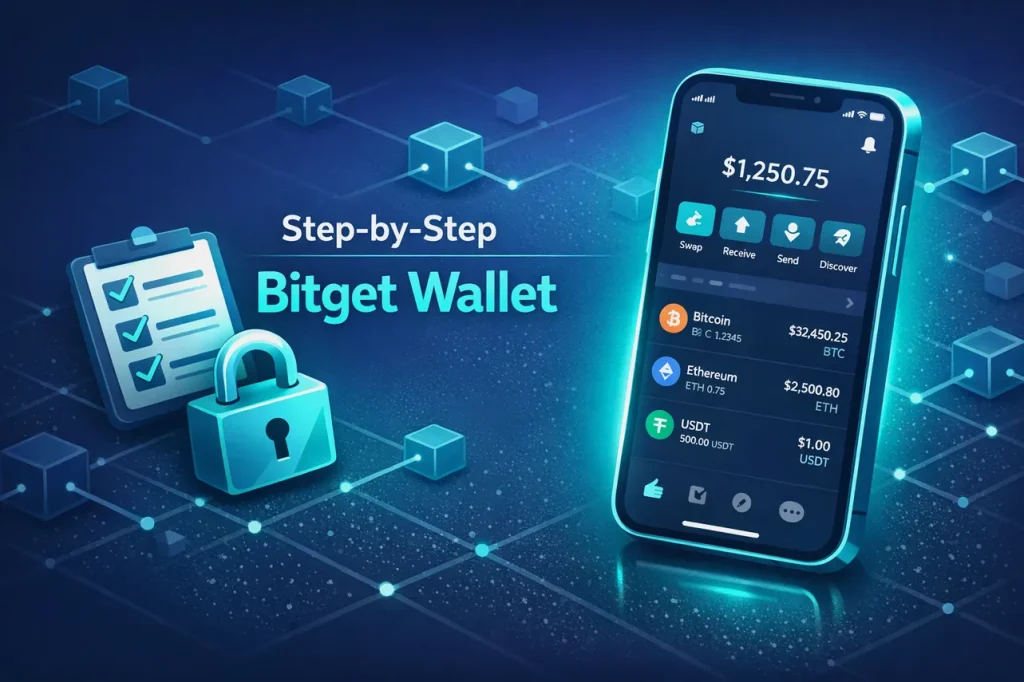
If you’ve wanted to explore Web3 without getting lost in jargon, this is the Bitget Wallet Guide for Beginners you can actually use. We’ll walk through setup, safety, funding, your first swap, and everyday best practices. You’ll also find practical notes on gas fees, network selection, and DApp permissions so you avoid expensive mistakes many first-timers make.

- 20% fee cashback
- $8,000 bonus

- 20% fee cashback
- $60,000 futures bonus

- 20% trading fee discount
- $100 signup bonus
- $10,000 futures bonus

- 20% trading fee discount
- $30,050 signup bonus

- 20% fee cashback
- $10,000 bonus

- 50% trading fee discount
- 20% fee cashback
- $6,200 futures bonus
Before you start, you can support this guide and unlock exchange perks by signing up on Bitget and applying referral code cryptonew0 when eligible. While Bitget Wallet is a self-custody wallet, the Bitget ecosystem (including the exchange) makes on-ramping and transfers smoother for beginners.
What is Bitget Wallet in plain language
- A self-custody Web3 wallet: you control your private keys and seed phrase.
- Multi-chain: manage popular networks like Ethereum, BNB Chain, Polygon, Arbitrum, and more from one interface.
- Built-in tools: receive, send, swap tokens, browse DApps, manage NFTs, and view portfolio performance.
- Your keys, your crypto: no centralized party can move your funds without your signature.
Self-custody is empowering, but it also shifts responsibility to you. This Bitget Wallet guide focuses on beginner-friendly steps to stay safe while you learn.
Quick start checklist
- Download the official Bitget Wallet app or extension only from verified sources.
- Create a new wallet and back up your seed phrase offline.
- Add a simple but strong passcode and enable biometrics for local access.
- Fund your wallet safely via the Bitget exchange or by receiving crypto from a trusted sender.
- Make a small test transaction before sending larger amounts.
- Use the built-in swap with care; verify networks and slippage before confirming.
Pro tip: If you also need an exchange account for fiat on-ramp, use Bitget with referral code cryptonew0.
Step-by-step setup
1) Get the official app or extension
- Mobile: Search for “Bitget Wallet” in the iOS App Store or Google Play. Verify the publisher and reviews.
- Browser: Install the official extension from a verified Chrome Web Store listing. Avoid look-alikes or sponsored clones.
Security note: Bookmark the official site and stores. Don’t follow random download links from social media.
2) Create or import a wallet
- Create new: The app shows a 12/24-word seed phrase. Write it on paper (or engrave in metal) and store it in two safe, separate locations.
- Import existing: If you already have a seed phrase from a different wallet, you can import it to Bitget Wallet. Confirm the correct derivation paths if advanced settings appear.
Never store your seed phrase in screenshots, cloud notes, or email. Anyone with the phrase can control your funds.
3) Add basic security
- Enable a device passcode and biometric access.
- Turn on app-specific passcode and lock timer.
- Consider a read-only “watch mode” address for portfolio checks on public devices.
4) Choose your networks
Bitget Wallet supports multiple chains. As a beginner, start with one or two so fees and addresses don’t confuse you:
- Ethereum (ETH): most DApps and NFTs, higher gas fees during peak periods.
- BNB Chain (BEP20): fast, low fees, wide token selection.
- Polygon (MATIC): low fees, strong DApp ecosystem.
- Arbitrum/Optimism: Ethereum Layer 2s with cheaper fees.
You can enable more networks later. Make sure you hold the native gas token on each network (ETH for Ethereum, BNB for BNB Chain, MATIC for Polygon, etc.).
5) Personalize your view
- Add your favorite tokens manually if they don’t appear by default.
- Pin networks you use most.
- Label addresses you frequently send to (e.g., “My Exchange Deposit – USDT ERC20”).
Funding your Bitget Wallet safely
There are two beginner-friendly paths. Use a small test amount first, then scale up.
Option A: Buy on the Bitget exchange then withdraw to your wallet
1) Sign up on Bitget. If prompted, enter referral code cryptonew0.
2) Complete any required verification and deposit fiat.
3) Buy a common asset like USDT or ETH.
4) In your Bitget Wallet, copy your receive address on the intended network.
5) On the exchange, choose Withdraw and paste your wallet address.
6) Select the matching network on both sides (e.g., ERC20 to ERC20, BEP20 to BEP20). Mismatched networks can lead to delays or loss.
7) Start with a tiny test transfer, confirm receipt, then withdraw the rest.
Pros: reliable fiat on-ramp; clear fees. Cons: exchange KYC may apply; withdrawal fees vary.
Option B: Receive crypto from a friend or another wallet
- Share your wallet address for the specific network you want to receive on.
- Confirm the exact token and chain with the sender.
- Watch for the incoming confirmation in Bitget Wallet.
Your first on-chain action in Bitget Wallet
A) Receive and verify
- Tap Receive and pick a network (e.g., Ethereum) and asset (e.g., USDT). Copy the address or QR code to the sender.
- After it arrives, tap the transaction to view confirmations and fees.
B) Send a small payment
- Tap Send, paste a known-good address, choose amount, and confirm gas settings.
- For Ethereum, you may select a fee priority (slow/market/fast). Beginners should keep defaults.
- Sign the transaction. Wait for confirmation before closing the app.
C) In-wallet swap basics
- Open Swap in Bitget Wallet.
- Select From and To tokens on the same network.
- Review the quoted rate, fees, and slippage tolerance.
- Confirm and sign. The wallet broadcasts your swap through a DEX. You’ll pay gas in the network’s native token.
Tip: Keep a small buffer of the native token (e.g., 0.01–0.05 ETH) for future gas needs.
Gas fees and how to minimize them
- What are gas fees: network processing fees paid to validators for including your transaction in a block.
- Why they fluctuate: more demand = higher fees, especially on Ethereum.
- How to save:
- Use lower-fee networks (BNB Chain, Polygon, Arbitrum) when possible.
- Avoid peak hours; try off-peak times based on your region.
- Batch actions where practical (e.g., one larger transfer vs. several small ones).
Understanding tokens, networks, and addresses
- One wallet, many chains: the same seed phrase can generate multiple addresses across networks.
- Token standards: ERC20 (Ethereum), BEP20 (BNB Chain), ERC721/1155 for NFTs.
- Address formats: many EVM chains share the 0x… format. Bitcoin and some others use different formats. Always verify the chain before sending.
Common pitfall: sending tokens to an address on the wrong chain. If a token doesn’t arrive, check you used the correct network and added the token contract in your wallet view.
DApp connections and safety
Bitget Wallet lets you connect to DApps using WalletConnect or a built-in browser.
- Verify URLs: type domains manually or use trusted aggregators.
- Read permissions: a DApp may ask to view your address or request token approvals (allowances). Review carefully.
- Revoke approvals: periodically use a token approval manager DApp to revoke unused allowances.
- Phishing red flags: unexpected pop-ups, urgent requests, airdrop bait, or unverified contracts.
If something feels off, stop and ask in official support channels. Never sign blind transactions.
Portfolio, NFTs, and cross-chain moves
- Portfolio tracking: monitor token balances and historical performance within Bitget Wallet.
- NFTs: view collections, check floor prices via compatible marketplaces, and confirm metadata before buying.
- Bridging: moving assets across chains usually requires a bridge DApp. Compare bridge fees and risks; consider moving stablecoins or native assets first.
Beginner-friendly security checklist
- Seed phrase offline only. No photos. No cloud.
- Two copies stored in separate, secure locations.
- App lock + device lock enabled.
- Test transactions before large sends.
- Verify chain and token contract addresses.
- Keep native gas tokens on active networks.
- Regularly update the app from the official store.
- Revoke outdated token approvals.
Bonus: Consider a fresh, separate wallet for higher-value holdings and keep a daily-use wallet with smaller balances for DApp exploration.
Troubleshooting common issues
- Token not visible: add the token contract manually; ensure you’re on the correct network.
- Pending transaction: the gas fee was too low or the network is congested. Speed up or cancel if supported.
- Wrong network selected: assets may appear “missing.” Switch to the correct chain.
- Can’t swap: low liquidity or high slippage. Try a different DEX route, adjust slippage cautiously, or switch networks.
If you need to on-ramp or off-ramp quickly, the Bitget exchange can complement your wallet workflow. Remember to apply referral code cryptonew0 where applicable.
Smart habits that compound over time
- Keep notes: record which networks you used, bridges, token contracts, and DApp permissions.
- Organize addresses: label your own wallets and frequent contacts.
- Track costs: note gas fees and swap slippage so you learn cost-efficient patterns.
- Education loop: subscribe to official channels and security advisories; practice on low-fee chains first.
Mini glossary for this Bitget Wallet Guide for Beginners
- Seed phrase: master backup words that can restore your wallet anywhere.
- Private key: cryptographic key that proves ownership; derived from seed phrase.
- Gas: transaction fee paid to the network.
- DEX: decentralized exchange that lets you swap without an intermediary.
- Allowance/Approval: permission for a contract to move your tokens.
- Bridge: tool to move assets across different blockchains.
FAQ
Q: Do I need an exchange to use Bitget Wallet?
A: No, Bitget Wallet is self-custody and works without an exchange. However, beginners often use Bitget for fiat on-ramp, then withdraw to the wallet. Don’t forget referral code cryptonew0 during signup when possible.
Q: Which network should I use first?
A: Choose one with low fees and good DApp support for your goals—BNB Chain, Polygon, or an Ethereum L2 like Arbitrum are common starting points.
Q: What if I lose my phone?
A: Reinstall Bitget Wallet on a new device and restore using your seed phrase. This is why offline backup is essential.
Q: Are swaps inside Bitget Wallet safe?
A: Swaps route through decentralized liquidity. Always verify the token contract, route, and slippage. Start with small amounts and build confidence.
Q: Can I store NFTs?
A: Yes. Bitget Wallet supports NFTs on compatible networks. Double-check the collection contract and marketplace URL before purchasing.
Q: How do I avoid scams?
A: Never share your seed phrase, verify URLs, reject suspicious signatures, and routinely revoke unused allowances. When in doubt, pause and seek advice from official sources.
Related posts:
 What is the TOMO(TomoChain) Coin, and how to buy Essential Guide for 2026
 Smart guide to What is the $RIF(Rifampicin) Coin, and how to buy on Binance
 Essential guide to What is the MAGMA (MAGMA) Coin and how to buy
 What is the MANTRA (MANTRA) Coin, and how to buy: Essential guide with step‑by‑step Binance walkthrough