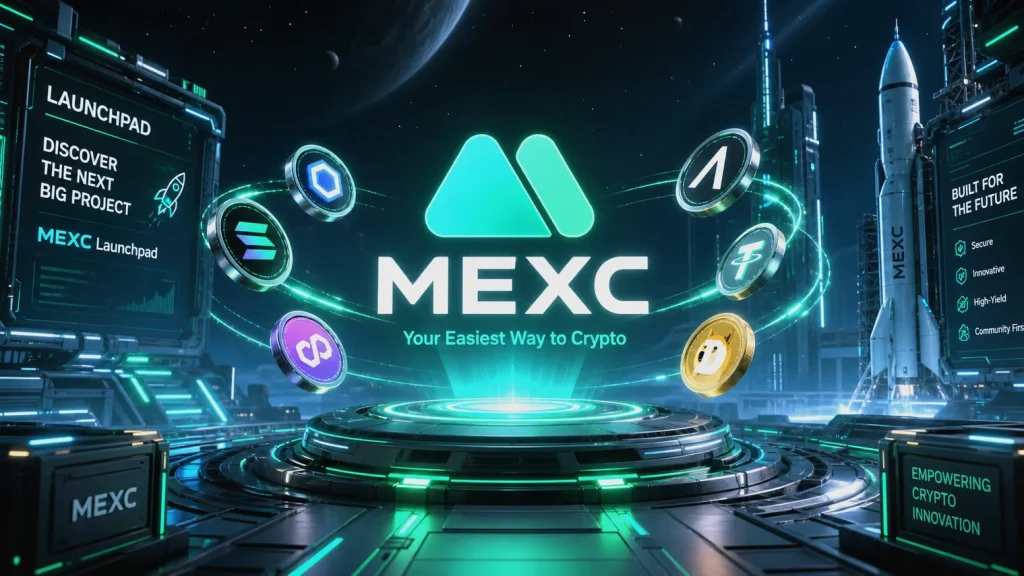
Curious about getting early access to new crypto tokens without navigating complex DeFi tools? This actionable MEXC Launchpad Guide for Beginners walks you through the entire process—from opening an account to securing allocations—so you can approach token launches with clarity, structure, and smarter risk controls.

- 20% fee cashback
- $60,000 futures bonus

- 20% trading fee discount
- $100 signup bonus
- $10,000 futures bonus

- 20% fee cashback
- $8,000 bonus

- 20% fee cashback
- $10,000 bonus

- 20% trading fee discount
- $30,050 signup bonus

- 50% trading fee discount
- 20% fee cashback
- $6,200 futures bonus
- Quick TL;DR
- MEXC Launchpad offers early access to new token offerings.
- You typically qualify by holding MX tokens during a snapshot period and subscribing in USDT or MX.
- Allocations are proportional and unfilled funds are refunded.
- Start with MEXC sign-up — use code mexc-CRYPTONEWER for 20% fee cashback and up to $8,000 in bonus offers.
What is MEXC Launchpad?
MEXC Launchpad is an event platform on the MEXC exchange where users can gain early access to new project tokens before or at listing. It’s designed for accessibility: no gas wars, no complex smart contracts, and clear timelines for snapshots, subscriptions, and distribution.
In simple terms: you prepare your account and balance, subscribe during the Launchpad window, then receive a token allocation based on how much you committed relative to everyone else.
Why beginners like it:
– Centralized, guided experience
– Transparent rules and timelines
– Proportional allocations (not purely lottery-based)
– Seamless post-listing trading on MEXC
Key Terms (Beginner-Friendly)
- MX Token: The utility token of MEXC. Holding MX often impacts your Launchpad allocation.
- Snapshot Period: A defined window where MEXC records eligible balances (usually MX holdings) to calculate your final allocation weight.
- Subscription/Commitment: The timeframe where you commit USDT and/or MX to “subscribe” to the Launchpad.
- Allocation: Your share of the new token, usually proportional to your committed amount versus the total committed by all users.
- Distribution: When MEXC delivers the new token to your spot wallet after the event. Any unallocated committed funds are typically refunded.
- Vesting/Unlock: Some launches distribute 100% at TGE; others may vest. Always check the event page for specifics.
Eligibility and KYC
- KYC: Many Launchpad events require KYC. Complete identity verification early to avoid missing subscription windows.
- Geographic restrictions: Availability can vary by region due to regulatory reasons. Confirm on the event page.
Start Here: Account Setup and Perks
1) Create your MEXC account
– Sign up with this referral: MEXC — code mexc-CRYPTONEWER
– Benefits: 20% fee cashback + up to $8,000 bonus (subject to MEXC promo terms).
2) Secure your account
– Enable 2FA (Google Authenticator), anti-phishing code, withdrawal whitelist, and strong password hygiene.
3) Fund your wallet
– Deposit USDT for subscription and consider getting MX if the event requires holding MX during snapshots.
– Buy MX on the spot market if needed. Keep some USDT ready for the subscription phase.
How MEXC Launchpad Typically Works
While each event can differ, the typical flow looks like this:
1) Announcement
– MEXC posts details: token name, total offering amount, required holdings (usually MX), snapshot dates, subscription window, allocation formula, listing time.
2) Snapshot Period
– Hold MX in eligible wallets (commonly spot wallet; some events may count MX in flexible Earn or staking products). Futures collateral or borrowed margin may not count. Always check the event FAQs for each launch.
3) Subscription Window
– Commit USDT and/or MX (depending on the event rules). You won’t be charged fees for merely subscribing. You’re pledging an amount to be used for allocation.
4) Allocation
– After the window closes, MEXC calculates everyone’s share. You receive the new token based on your proportional stake.
5) Distribution and Refunds
– Tokens arrive in your spot wallet. Any unallocated portion of your subscribed funds is automatically refunded.
6) Listing and Trading
– The token lists on MEXC. This is where price discovery happens. Plan your strategy ahead of time.
The Allocation Formula (Plain English + Example)
Most MEXC Launchpad events use a proportional allocation. A simplified model:
- Your Allocation = (Your Committed Amount / Total Committed Amount) × Total Tokens Offered to the Pool
Example:
– Total tokens offered: 1,000,000 NEW
– Total USDT committed by all users: 50,000,000 USDT
– You committed: 5,000 USDT
– Your share = 5,000 / 50,000,000 = 0.0001 (0.01%)
– Your allocation = 0.0001 × 1,000,000 = 100 NEW tokens
Unallocated funds (because your USDT buys exactly 100 NEW at the event price) are returned automatically. If there are per-user caps or additional MX holding multipliers, they’ll be listed in the event rules.
Step-by-Step: MEXC Launchpad Guide for Beginners
Use this checklist before and during every event:
-
Before the Announcement
- Verify KYC is complete.
- Enable full account security (2FA, withdrawal whitelist).
- Accumulate MX if the model favors MX holders. Keep a USDT buffer.
-
At Announcement
- Read the event page top to bottom.
- Note: snapshot start and end, subscription open and close, token price/valuation if shared, any vesting terms, and caps.
-
During Snapshot
- Keep your MX in eligible places. Avoid transferring out mid-snapshot; frequent movements may disrupt eligibility.
- If the event supports flexible Earn balances, confirm whether earned MX still counts.
-
During Subscription
- Commit USDT (and/or MX) early to avoid last-minute congestion.
- Respect your risk budget. Only commit what fits your plan.
-
Allocation & Distribution
- Check your allocation, returned funds, and new token arrival.
-
Listing
- Decide beforehand: take partial profits, set stop-loss, or hold for a thesis-driven time horizon.
- Watch liquidity, spreads, and volatility. Early minutes can be extremely volatile.
Pro tip: Bookmark the Launchpad hub inside the MEXC app/website and enable notifications.
Launchpad vs. Kickstarter vs. M-Day (Know the Difference)
- Launchpad: Allocation-based, often MX-weighted, snapshot + subscription.
- Kickstarter: Community voting to decide if a project lists; voters receive rewards if targets are met.
- M-Day: Ticket-style events that may reward active traders or holders with lottery allocations.
The MEXC Launchpad Guide for Beginners you’re reading focuses on Launchpad mechanics, but exploring Kickstarter and M-Day can diversify your early access opportunities.
Strategies to Improve Your Odds and Outcomes
- Hold more MX (when applicable): MX balance typically increases your weight.
- Be early and consistent: Maintain balances throughout the entire snapshot.
- Don’t overextend: The goal is a repeatable strategy, not a single bet.
- Assess tokenomics: Total supply, FDV at listing, unlock schedule, and initial circulating supply impact price dynamics.
- Liquidity awareness: Expect heavy volatility at TGE/listing; set limit orders and avoid market-chasing.
- Diversify across events: Not every launch performs equally. Treat each as a separate trade with its own thesis.
Common Pitfalls to Avoid
- Ignoring snapshot rules: Moving MX mid-snapshot can nullify eligibility.
- Forgetting KYC: Last-minute verification can cause you to miss the window.
- Misreading the allocation math: Proportional share means your final allocation is often smaller than your committed amount suggests if demand is huge.
- No exit plan: Entering launches without a sell/hold framework leads to emotional decisions.
- Overusing leverage elsewhere: Keep Launchpad funds separate from leveraged positions to prevent forced liquidations.
Fees, Limits, and Timing
- Subscription fees: Typically none for committing. Standard spot trading fees apply once the token lists.
- Caps: Some events implement per-user maximums. Read the event page carefully.
- Timing: Event windows can be short. Set reminders for snapshot start/end and subscription open/close.
Realistic Expectations
- Not every launch moons. Some open flat or below the subscription-implied price.
- Early liquidity can be uneven; spreads can widen quickly.
- Treat allocations as part of a broader portfolio strategy.
Frequently Asked Questions (FAQ)
-
Do I need MX to join the MEXC Launchpad?
- Often yes, especially for eligibility during snapshot. But some events may vary. Always check the specific rules.
-
Is KYC mandatory?
- In many cases, yes. Complete KYC beforehand.
-
Where should I hold MX during snapshots?
- Usually the spot wallet counts; sometimes flexible Earn may count too. Event pages clarify eligible wallets and exclusions.
-
What happens to my USDT if I don’t get a big allocation?
- Unallocated funds are automatically refunded after distribution.
-
When do tokens arrive?
- Distribution is typically soon after allocation. The exact timeline appears on the event page.
-
Are there regional restrictions?
- Possibly. Check MEXC’s terms and the event’s regional eligibility.
Action Steps for Beginners (Copy-and-Use Checklist)
- Create your account with perks: Join MEXC with code mexc-CRYPTONEWER for 20% fee cashback and up to $8,000 in bonuses.
- Complete KYC and enable security features.
- Acquire MX and set aside USDT.
- Monitor the Launchpad announcements page.
- Follow snapshot/subscription schedules precisely.
- Use a written plan for listing day: targets, stops, and sizing.
Why Use the Referral and Start Today
- Lower trading costs matter. A 20% fee cashback compounds over time if you actively trade listings.
- $8,000 in potential bonuses can help bootstrap your journey (subject to MEXC promotional terms and your activity).
- The sooner you set up, the less likely you’ll miss snapshot windows.
Get started here: MEXC sign-up with mexc-CRYPTONEWER
Risk Notice
Crypto assets are volatile. Participation in Launchpads carries market, liquidity, and project risks. This guide is educational and not financial advice. Only commit funds you can afford to risk, and review each event’s terms before acting.
Related posts:
 Blockchain and Real Estate: Tokenizing Property — Strategic Guide for 2026
 Blockchain Interoperability: Why It Matters — Essential Strategies for a Multi‑Chain Future
 How to Start Trading on OKX Spot Market with Proven Steps to Trade Confidently
 What is the TOMO(TomoChain) Coin, and how to buy Essential Guide for 2026